What is Xtream Codes?
A way to connect to your provider with three pieces of information: the server address (often with a port number, for example :8080), a username and a password. Compared with a plain M3U link, the player gets more details: well-organized movies and series, the program guide, replay when your provider offers it, and the status of your subscription.
The steps
Install Ondo TV
On Fire TV: the Fire TV guide. On Android TV or Google TV: the Android TV guide.
Create your account
First name, email and password. Free.
Choose “Xtream Codes”
On the Add your playlist screen, the Xtream Codes tab is selected by default.
Enter your three details
Server: the full address with http:// and the port. Username and Password: exactly as your provider wrote them, capital letters included.
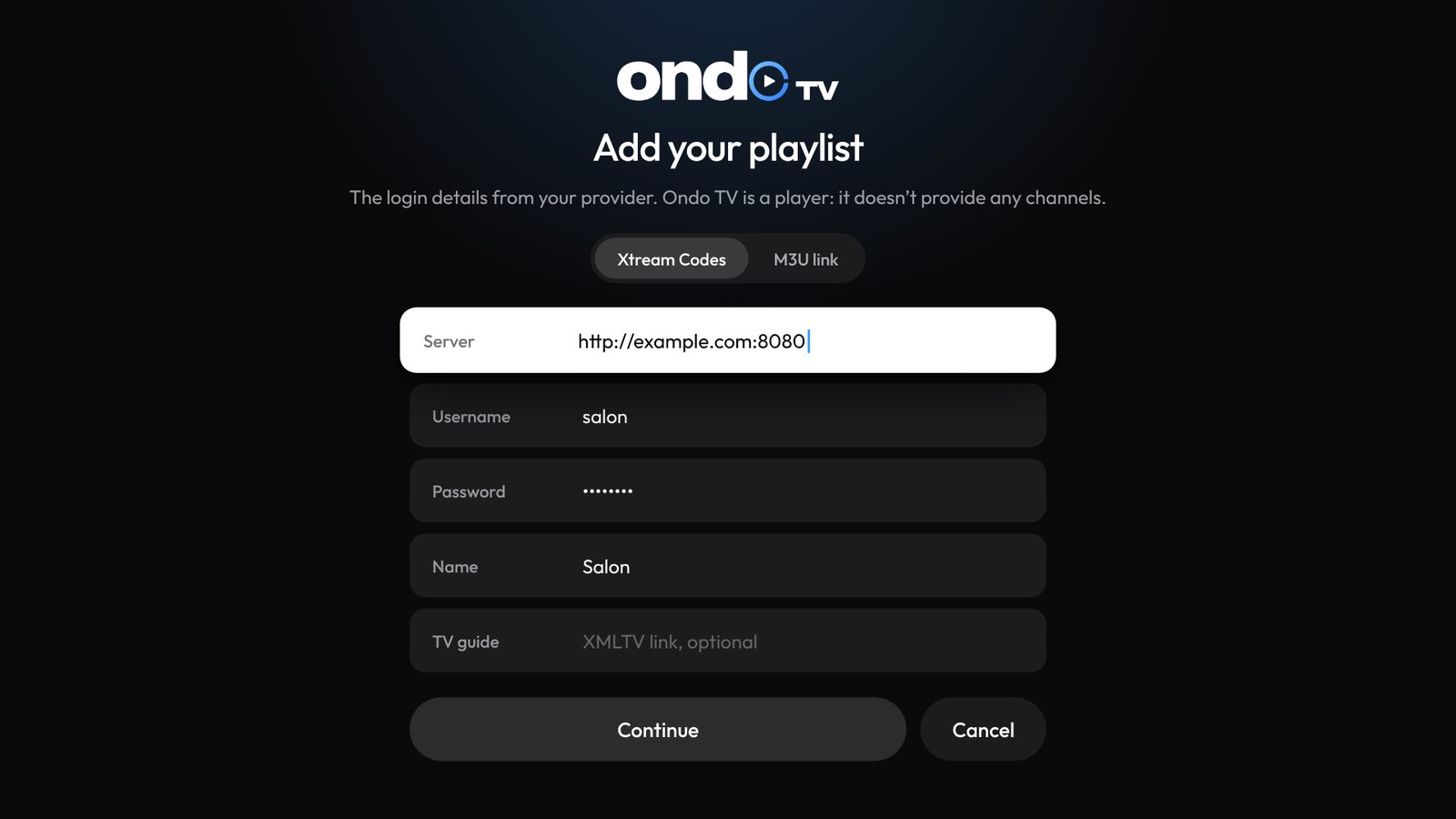
The “Add your playlist” screen in Ondo TV, Xtream Codes tab. Continue
Choose Continue. Ondo connects, loads live TV, movies and series, and fills in the program guide by itself.
You only have an M3U link?
Look at it closely: if it looks like http://server:8080/get.php?username=…&password=…, you already have your three details. The server is the beginning up to the port, the username follows username= and the password follows password=. Otherwise, keep your link and follow the M3U guide.
See your subscription status
In Settings › Content and playlists, Ondo shows for each Xtream access the expiry date, the status and the number of simultaneous connections allowed. Handy to know where a problem comes from.
If it gets stuck
- “Your provider is refusing the connection”: wrong username or password, or the subscription with your provider has expired.
- “Nothing at this address”: check the server, with http:// and the right port.
- “Your provider’s server isn’t responding”: check your internet connection, then try again in a few minutes.
Your logins are kept in your TV’s encrypted vault and, if you are signed in, in your Ondo account so you find them on your other devices. Ondo uses them for nothing else.
Stuck somewhere?Ask on the Ondo Discord: the team and the community answer.
Join the Discord