What Ondo does by itself
With Xtream Codes access, Ondo gets the guide from your provider with no setup. With an M3U link, it uses the guide listed in the playlist when your provider included one.
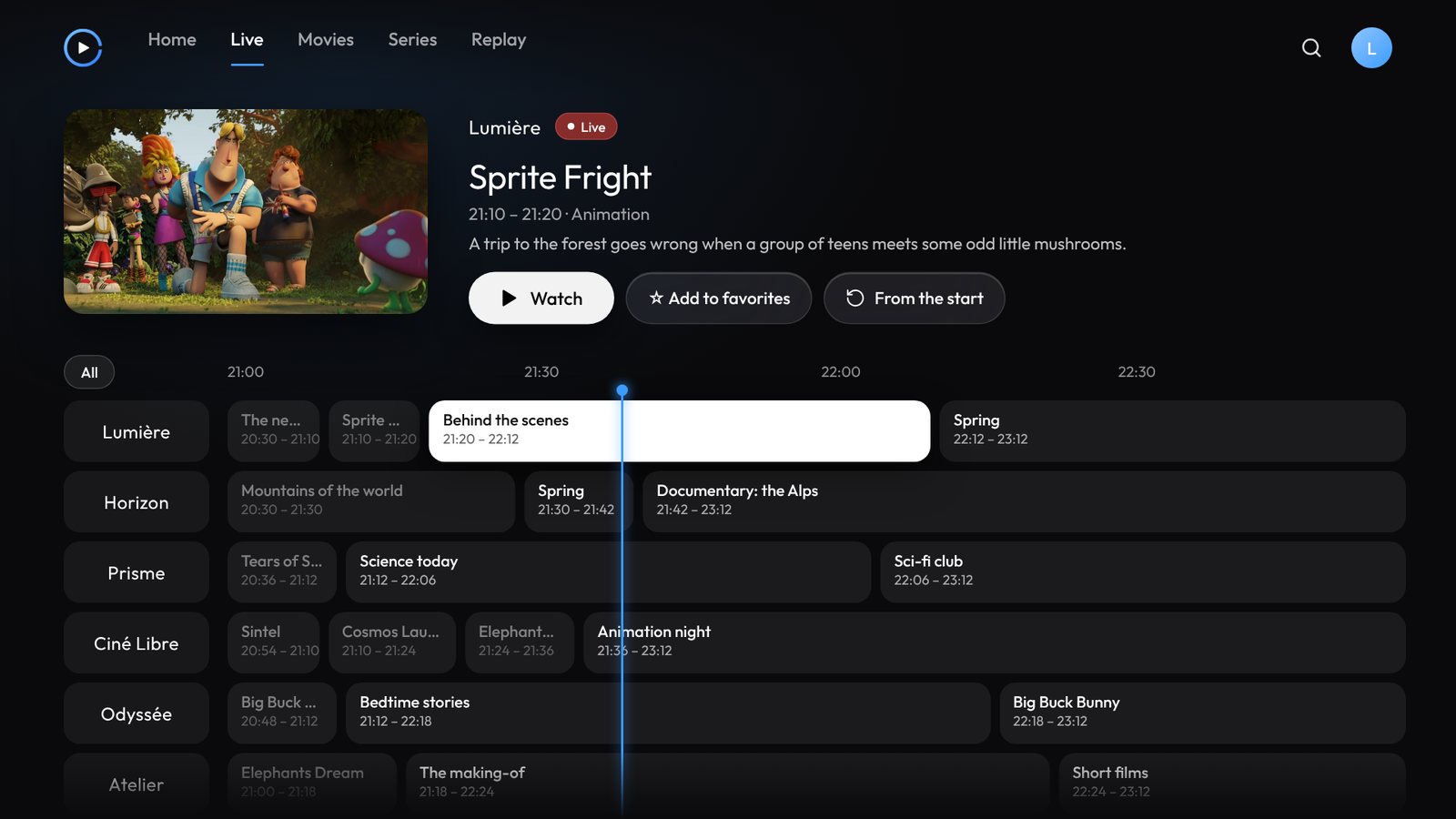
Open the guide
Go to Live then TV guide. Each row is a channel, the blue line marks the current time. Select a program to Watch it, add it to favorites, or play it From the start when your provider offers replay.
Add an XMLTV link
If the guide stays empty, your provider may give you a separate guide link, in XMLTV format (it often ends with .xml or xmltv.php). Enter it in the TV guide field when you add your playlist.
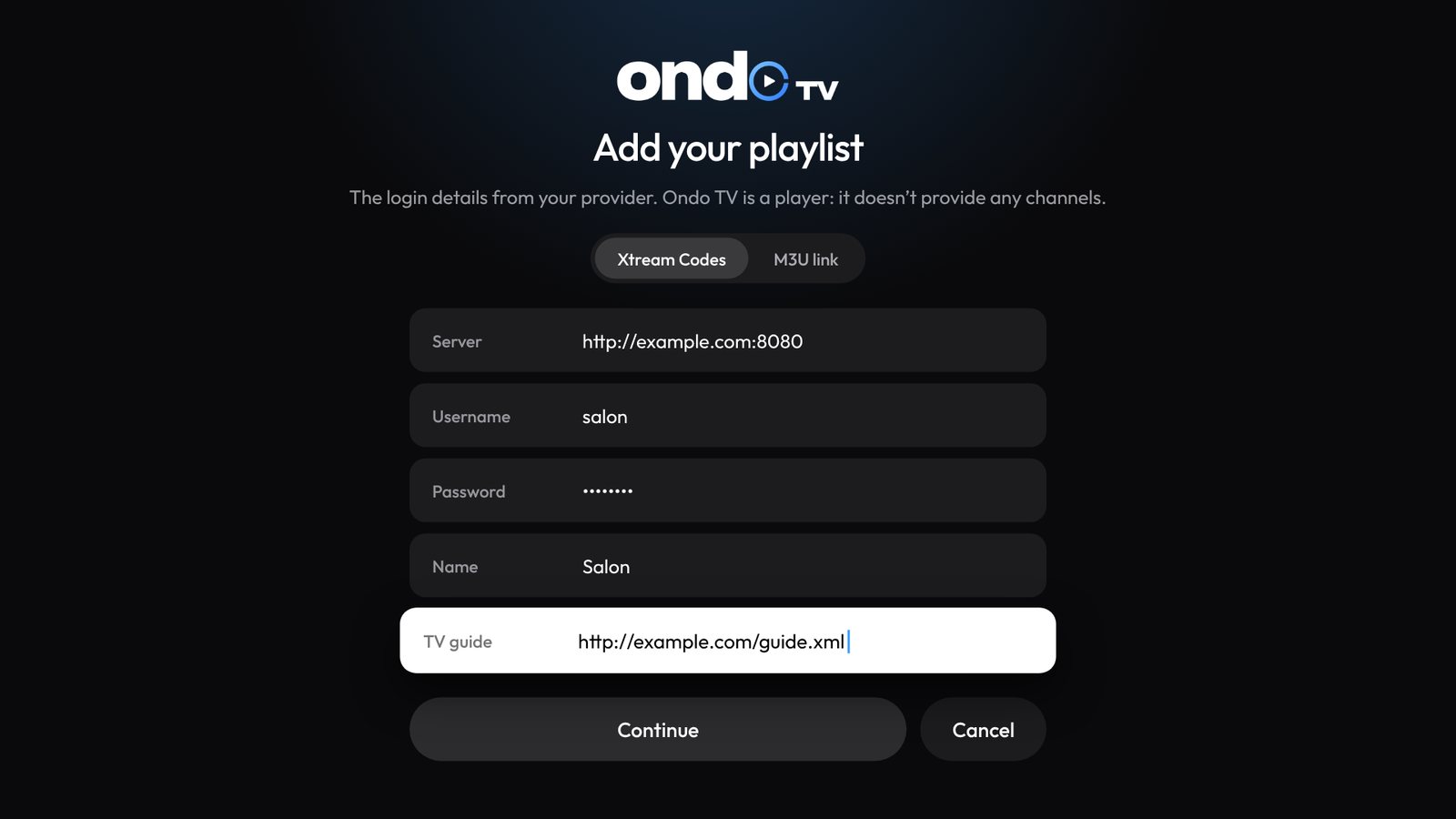
Your playlist is already added? Add it a second time with the guide link, choose it in Settings › Content and playlists, then delete the old one.
Why some programs are missing
- Some channels have no guide: your provider’s guide doesn’t cover all its channels. Ondo only shows what it receives.
- Names don’t match: the guide and the playlist must come from the same provider, so each channel finds its programs.
- Time offset: if everything is off by an hour or more, your provider’s guide isn’t set to your time zone. Let them know.
Go further with Ondo Premium
You are all set. With Premium, Ondo remembers everything for you:
- Resume a movie or an episode where you left off
- Your favorites and My List, on all your devices
- Pause live TV
- Up to 5 profiles and 5 devices
Stuck somewhere?Ask on the Ondo Discord: the team and the community answer.
Join the Discord